How to sign an electronic lease?
Back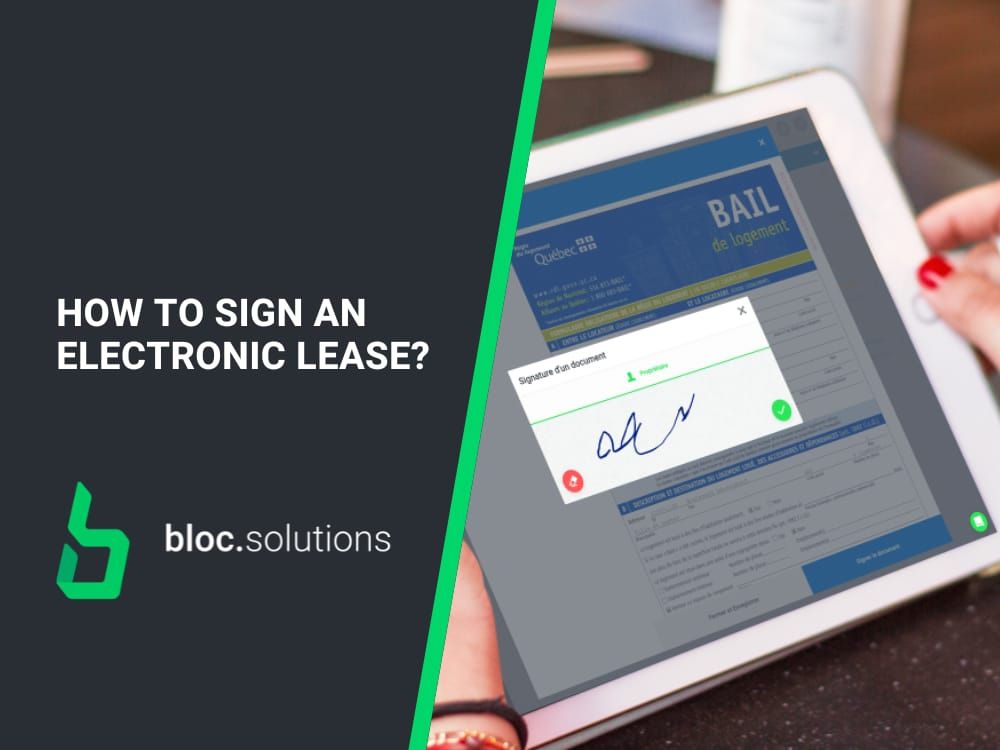
Signing a paper lease is long, tedious, counterproductive and, what’s more, obsolete.
Thanks to our platform, all you need is a few clicks and it’s done!
Full version for landlord accounts and a version for tenants available on our FAQ.
How to sign an electronic lease on Bloc Solutions (tenant account)
First, you will receive an invitation in your email to go sign your documents. Then, here are the steps to follow:
- Click on “Go to Bloc Solutions”.
- Click on “New documents to sign”.
- Click on “Sign Now!”.
On the left side of the window, you will see the list of documents to sign.
- Click on “Sign Document” to sign the selected document.
- Hold your cursor down and apply your signature in the rectangle provided.
- Click on the green check mark when your signature is complete.
- Click on “Confirm” to save your signature.
- Once saved, your signature will be affixed to the document and it will no longer be possible to modify it.
- Repeat the steps for all other documents to be signed.
And that’s it, your documents are signed! ✍️✅
You can review them at any time in your Bloc Solutions account.
How many documents do I need to sign?
There is a minimum of 2 documents to sign when signing an electronic lease on Bloc Solutions as a tenant or endorser:
- The default annex produced by Bloc Solutions
- The electronic lease
The “Signature Expectation” element represents the number of tenants/endorsers who must sign the lease and other necessary documentation.
Let’s take the case of a lease with only one tenant and the landlord: Once the tenant has signed all the documents, the number will increase by ½. According to the example, to complete the online signature, the landlord’s signature would be missing.
This fraction indicates the number of tenants/endorsers who must sign one or more documents. Once you have signed all your documents, this number will increase by 1.
This fraction indicates the number of tenants/endorsers who must sign one or more documents. Once you have signed all your documents, this number will increase by 1.
How can several tenants sign a lease on Bloc Solutions?
Are there more than two roommates signing the lease on Bloc Solutions? It is normal to not see the signatures of the members on the documents you sign.
As you have probably already seen, on the paper lease of the Tribunal administratif du logement there are only two slots available to fill in the “tenant” information.
Most landlords/property managers will therefore write the other names in the margins or on an attachment to the lease to record the information of additional tenants, if any.
On Bloc Solutions, up to 6 roommates can sign a lease. Only the first two contacts linked to the lease by the owner/property manager will appear on the lease.
Don’t worry, the signature information, as well as the signature, is safely saved in our database and is available to the owner/manager of the unit you are renting.
Do you have any other questions? Check our FAQ or ask them directly in the chat box at the bottom right.