Add your renewal notice on Bloc Solutions
26 October 2026
Back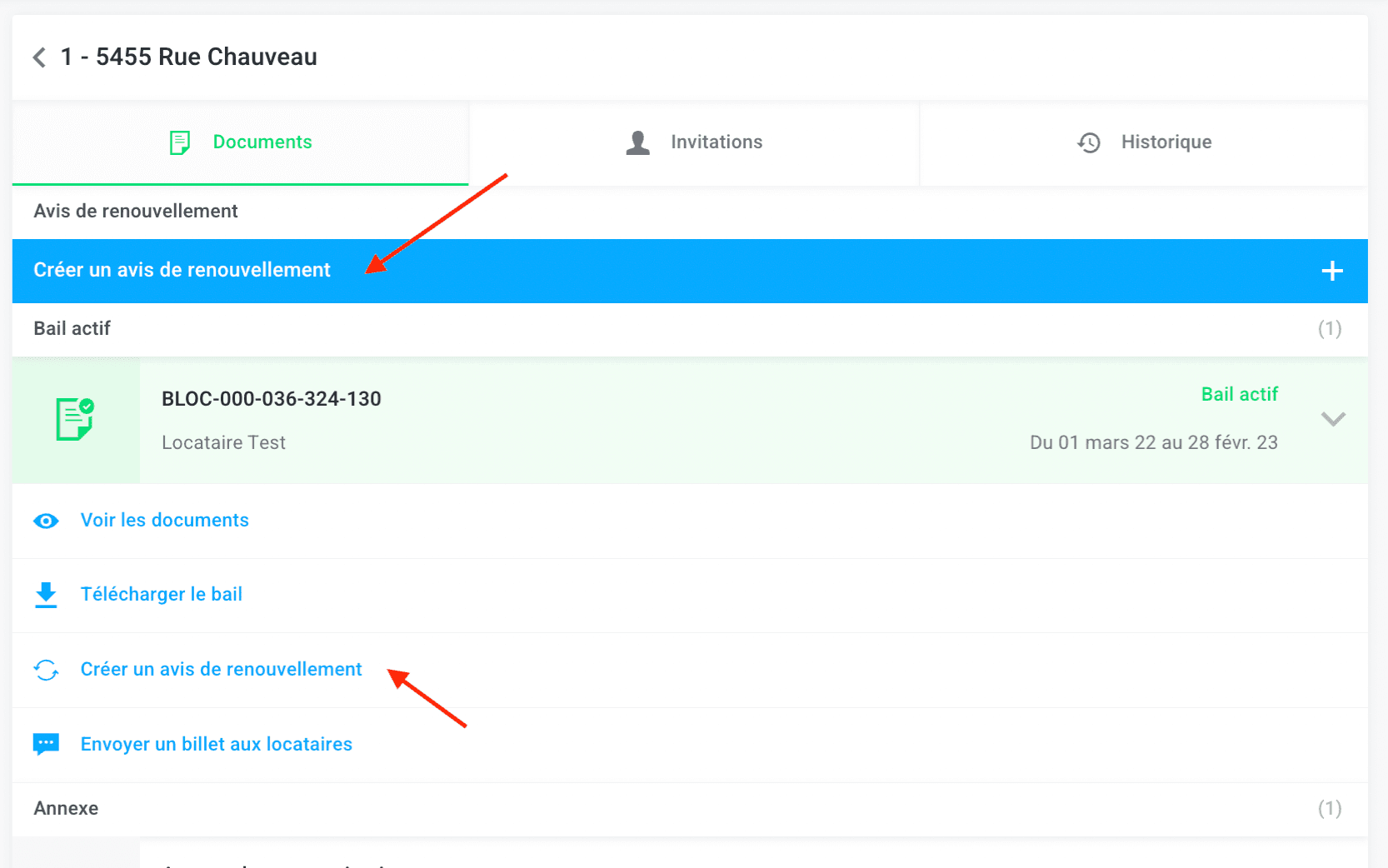
Have you had a paper renewal notice signed by your tenants? Note that it is possible to add it to Bloc Solutions, in order to update the lease conditions on the platform.
How to do it?
1. Creating a Renewal Notice
- Click on the Leases tab in the left column.
- Select the lease to be renewed (the lease must be signed/active in order to create a notice).
- Click the blue Create Renewal Notice button.
- Fill in the required information
- Renewal dates
- The rent
- Explanations and other changes
5. After checking the information during the preview, simply complete the notice.
2. Respond to the renewal notice
As the renewal notice has already been answered by the tenant(s) outside Bloc Solutions, we invite you to respond to the notice directly from your owner account.
Now that your renewal notice is on Bloc Solutions, the lease conditions are automatically updated.
Do you have more questions? Keep browsing our Help Center, or contact us!